How to Buy from Simulcast Offsite
Simulcast Offsite lanes let you bid and buy vehicles that aren’t physically present at a Manheim location and are now available from the Manheim New Jersey and Manheim Pennsylvania regions. Here’s how you can access this inventory.
- Access Simulcast Sales
After logging in, navigate to Buy and select Simulcast Live Sales
- Select Location
Choose New Jersey > Manheim New Jersey or Pennsylvania > Manheim Pennsylvania
- Choose the Simulcast Offsite Lane
Select Simulcast Live | Simulcast Offsite Sale at the chosen location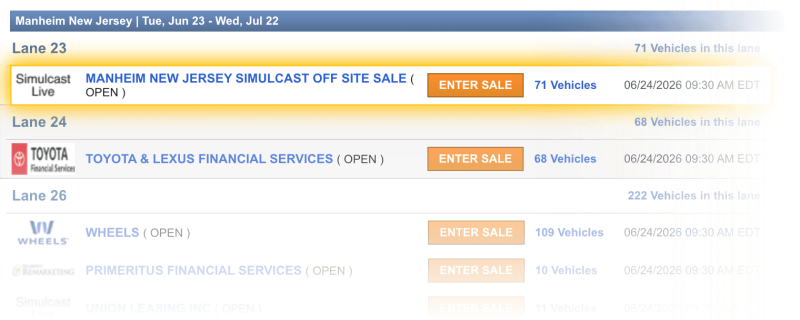
- View Inventory
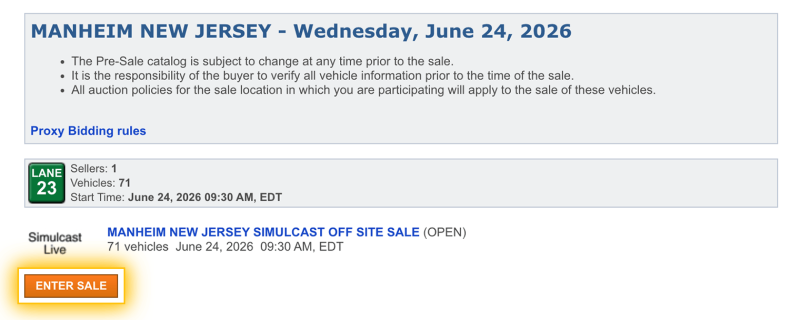
Review vehicles and pre-sale information by clicking on the number of vehicles listed in the auction to view the pre-sale list and check each vehicle’s condition information and other details
- Enter Sale
When you’re ready to join, click the Enter Sale button. For more details on registering as a dealer and familiarizing yourself with the Simulcast window, access instructions here.