Setting Up Lane Alerts in the Manheim Mobile App
The Manheim mobile app offers robust lane alerts so you never miss a vehicle. Just turn on alerts, get notified the second it runs, and tap to instantly join the bidding. Here’s how you can make sure to be notified:
- Access Notification Settings in the Manheim App.
Access your account settings in the top right of the app, and the select Notification Settings.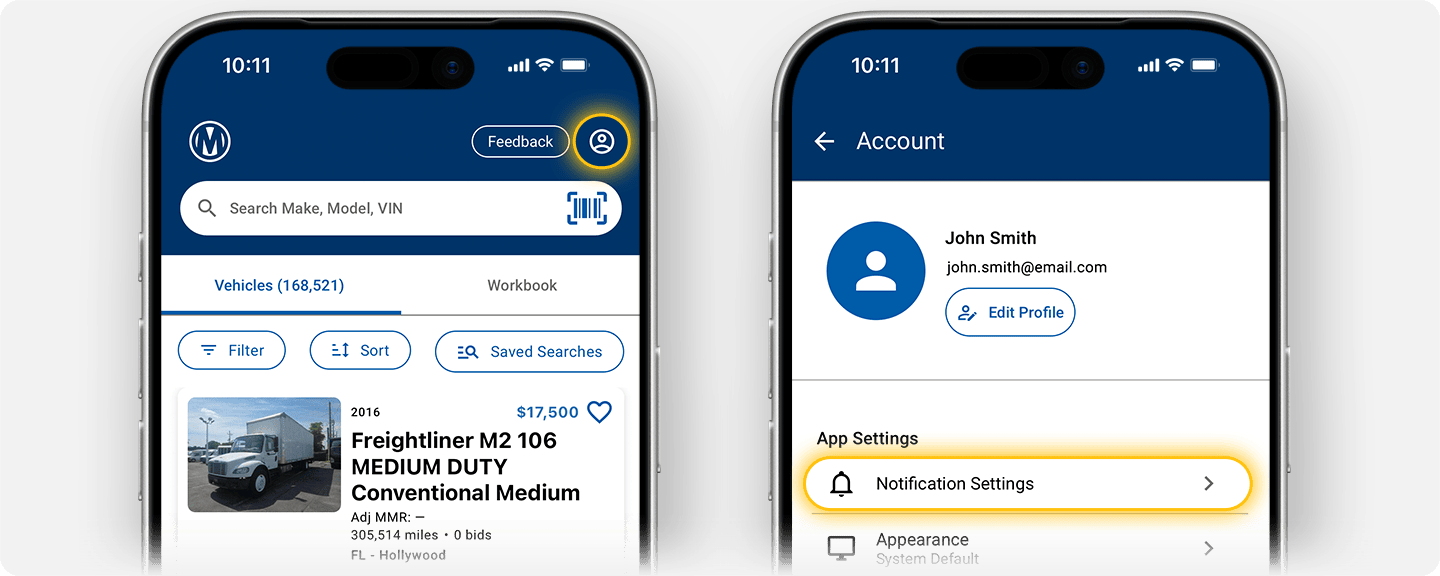
- Confirm Device-Level Notifications.
If device-level notifications are blocked, you will see the screen below. Tap “turn on notifications” to open your device settings (Android or iOS). If you do not see this screen and instead see the settings list with grayed-out toggles, proceed directly to step 4.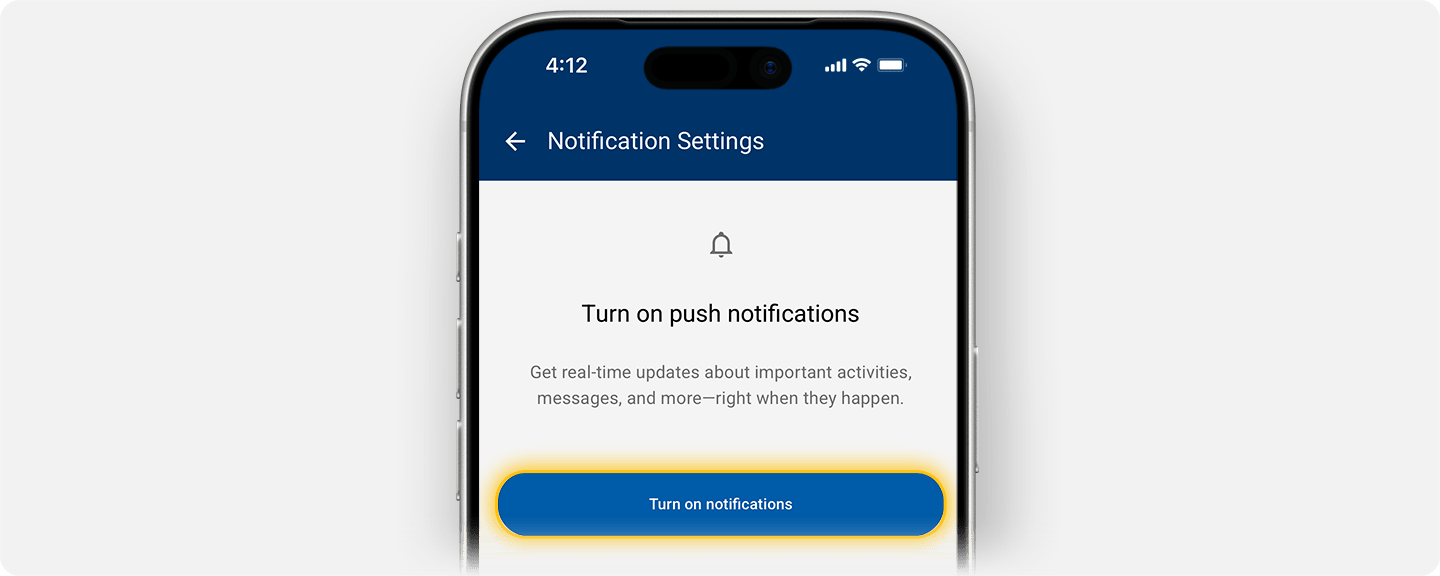
- Enable Device-Level Notifications.
In your device settings (Android or iOS), toggle “allow notifications” and select the alert types and options you’d like.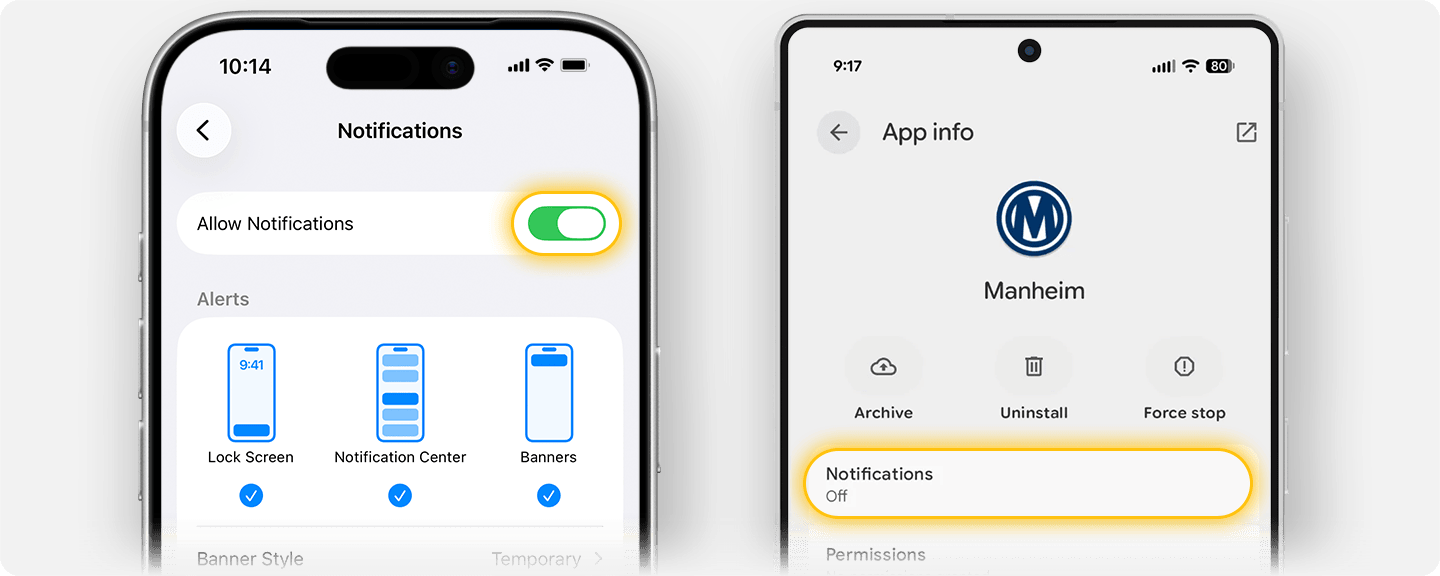
- Enable Notifications in App.
In the Manheim app, select which notifications you’d like to receive. The individual notification toggles will be grayed out until the master “allow notifications” toggle is turned on. See notification types in the table below.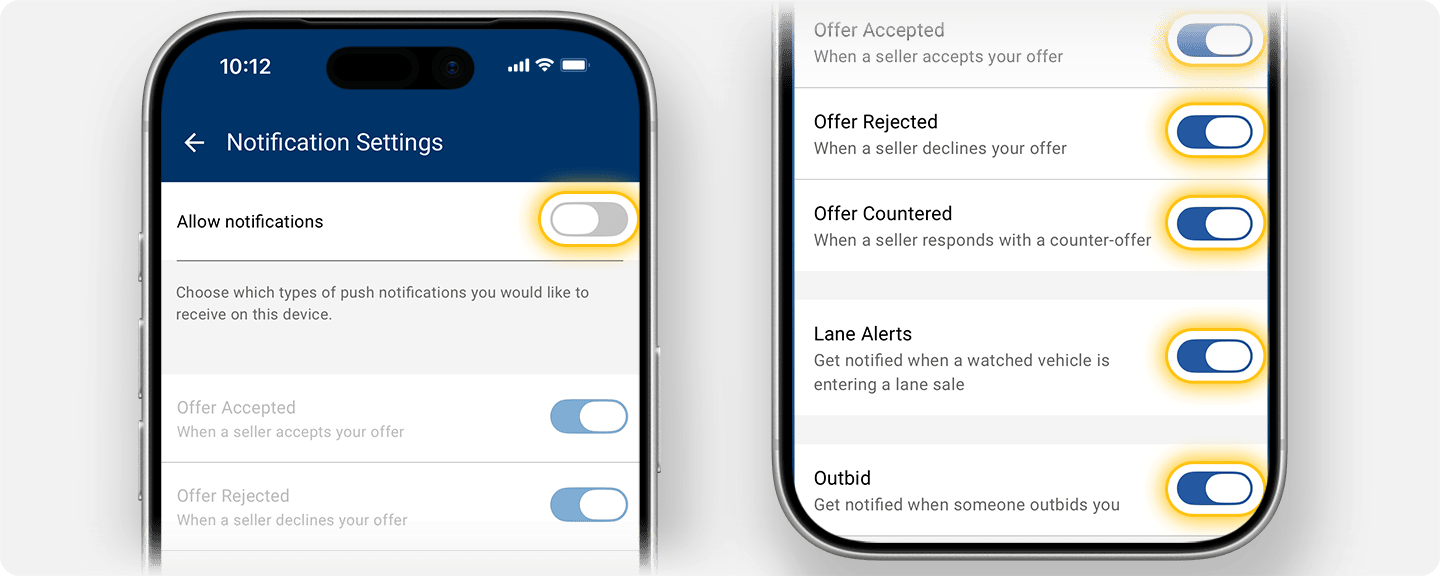
| Notification | Description |
| Offer Accepted | When a seller accepts your offer |
| Offer Rejected | When a seller declines your offer |
| Offer Countered | When a seller responds with a counter-offer |
| Lane Alerts | When a watched vehicle is about to cross the block |
| Outbid | When someone outbids you |
- Set Up Lane Alerts on Simulcast Vehicles
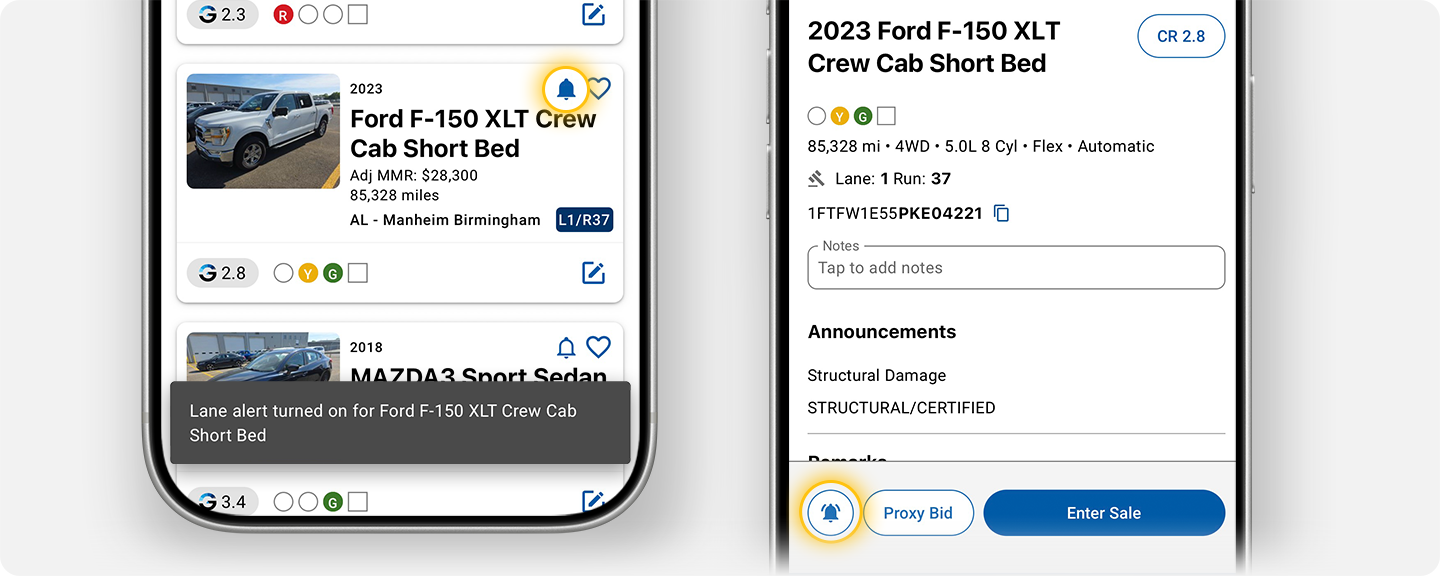
From the Simulcast run list, tap the alarm bell icon for the vehicles you’d like to be notified about. Or, from the VDP, tap the alarm bell icon at the bottom of the screen.