How to Navigate the Vehicle Details Page (VDP)
The Vehicle Details Page (VDP) is the central place to review vehicle information and take action on Manheim.com. It brings together vehicle details, images, inspection insights, and buying tools in one experience—so you can evaluate listings efficiently and move forward with confidence.
This guide explains the main components of the VDP and how to use them together when reviewing inventory.
What You’ll Find on the VDP
Each VDP is organized to support a clear evaluation flow:
- Vehicle details – core information about the listing
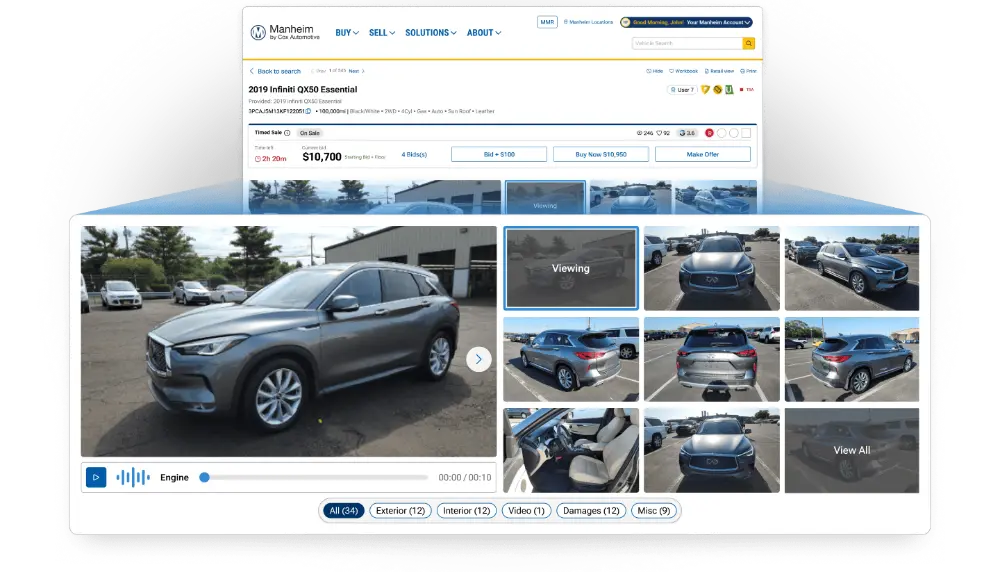
- Images – exterior, interior, and detail views
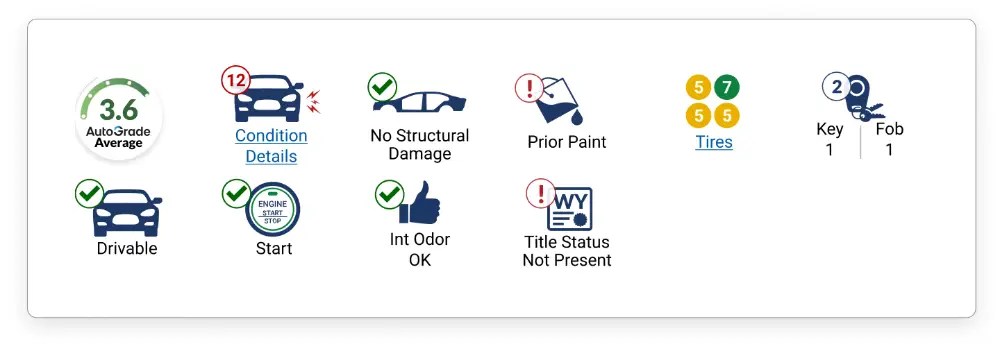
- Condition indicators & inspection details – icons and inspection information that help you quickly understand vehicle condition
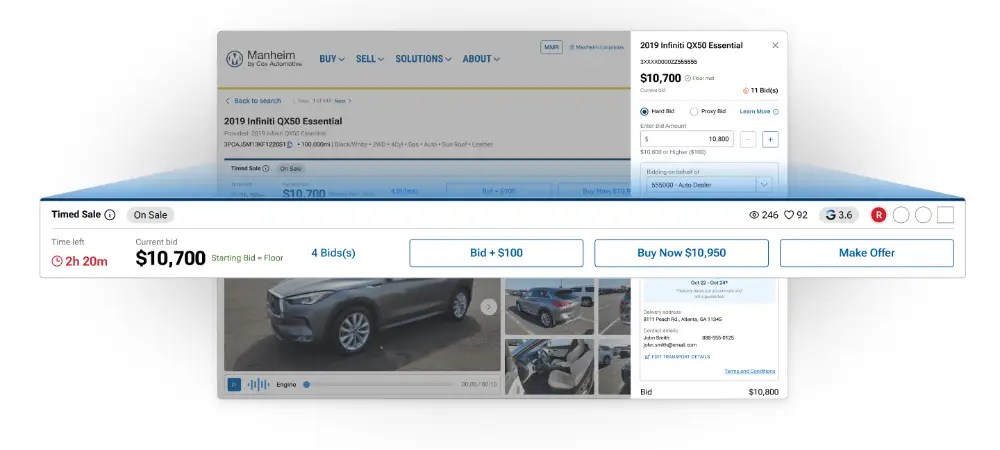
- Bidding and buying actions – tools that allow you to place bids or complete a purchase directly from the vehicle page
Understanding how these elements work together helps you review vehicles more quickly and consistently.
Images and Visual Review
Images are a key part of evaluating a vehicle. The VDP displays images prominently, with multiple photos visible at once to support faster review.
You can use images to:
- Get an initial sense of vehicle condition
- Compare listings more efficiently
- Reference specific areas while reviewing inspection details
Condition Indicators and Inspection Details
The VDP includes visual icons and inspection information that provide insight into vehicle condition.
Icons offer a quick snapshot of key information, helping you understand vehicle condition at a glance. More detailed inspection information is available directly on the page and may include:
- Descriptions of exterior or interior findings
- Supporting images tied to specific areas
- Diagnostic or inspection‑related data when available
Reviewing icons, images, and inspection details together helps provide full context as you evaluate.
Buying Actions on the VDP
Bidding and buying actions are available directly on the Vehicle Details Page, allowing you to take next steps as soon as you’re ready. As you review vehicle details, a bid bar keeps actions visible as you scroll. This allows you to continue reviewing images and inspection information while always having the option to place a bid or move forward—without navigating back up the page.
When you’re ready to act, a slide-out checkout experience opens directly within the VDP and keeps vehicle details in view while you complete your action. This helps maintain context and avoids interrupting your evaluation while you move from review to execution.
Together, these tools support a smooth transition from evaluation to action by keeping information and next steps closely connected throughout the buying process.
Best Practices for Using the VDP
To make the most of the Vehicle Details Page:
- Start with images for a quick visual assessment
- Use condition icons to guide where to focus
- Review inspection details alongside supporting visuals
- Take action directly from the page when ready
Following this approach helps streamline evaluation and supports confident decision‑making.
A Single Place to Evaluate and Act
The Vehicle Details Page brings together the information and tools you need to evaluate vehicles and take action in one place. By understanding how each component of the VDP works, you can navigate inventory more efficiently and make informed buying decisions on Manheim.

